


Rotorheads Around the World (incl 'Views from the Cockpit')


Join Date: Jan 2001
Location: Chilliwack, BC Canada
Posts: 564
Likes: 0
Received 0 Likes
on
0 Posts
An Ultra 204C passes through town.

Longranger 3 ALJ departs with a Longline on fires.

407 ALM at a BCFS Mountaintop repeater 8,500'

A North Central Airways 205 departs eastbound

HeliQuest 204C longlining

The proper way to water-Bucket

Longranger 3 ALJ departs with a Longline on fires.
407 ALM at a BCFS Mountaintop repeater 8,500'
A North Central Airways 205 departs eastbound
HeliQuest 204C longlining
The proper way to water-Bucket
Join Date: Jan 2001
Location: Chilliwack, BC Canada
Posts: 564
Likes: 0
Received 0 Likes
on
0 Posts
The photo was Probably submitted to Photobucket in too large of a size, so it was automatically reduced down to their specs...I have found that their reductions don't seem to maintain the original quality.
Join Date: May 2001
Location: queensland australia
Age: 77
Posts: 563
Likes: 0
Received 1 Like
on
1 Post
hueymeister,
i downloaded you image but it's stuffed. if you send me a copy i will fix up the size and re host it for you.
[email protected]
some of the images on this page are over 1.5 meg and really take up space and take lots of time to upload. you can still retain quality at 40 and 50 kb's if you reduce the pixel size before you reduce the dpi.
if you have photoshop 8 you can save for web at 25 - 30 kbs and keep the quality.
graeme
i downloaded you image but it's stuffed. if you send me a copy i will fix up the size and re host it for you.
[email protected]
some of the images on this page are over 1.5 meg and really take up space and take lots of time to upload. you can still retain quality at 40 and 50 kb's if you reduce the pixel size before you reduce the dpi.
if you have photoshop 8 you can save for web at 25 - 30 kbs and keep the quality.
graeme


Thread Starter
Join Date: Feb 2002
Location: N20,W99
Age: 53
Posts: 1,119
Likes: 0
Received 0 Likes
on
0 Posts
A few recent pictures
This one had just arrived in belly of an Air France 747, it hadn't flown for years and it was put back in flying condition is just few days by our great team of mechanics.

This 212 lifts medical supplies, and moves medical personell to remote medical clinics up in the mountains, or in remote jungle areas. It belongs to the Social Security service. Look at the blade pitch in the main and tail rotor's.

Used for VIP transport mostly.

This one was just replaced last week by a brand new (and just as ugly) B206 Jet Ranger, it flies 6 hours a day for a radio station.

This 212 does utility work

This 212 lifts medical supplies, and moves medical personell to remote medical clinics up in the mountains, or in remote jungle areas. It belongs to the Social Security service. Look at the blade pitch in the main and tail rotor's.
Used for VIP transport mostly.
This one was just replaced last week by a brand new (and just as ugly) B206 Jet Ranger, it flies 6 hours a day for a radio station.
This 212 does utility work

Hueymeister,
This is the copy of your photo that I hosted for you: if you want to edit your post, I'll delete this one (unless Heliport does it for us )
)

This is the copy of your photo that I hosted for you: if you want to edit your post, I'll delete this one (unless Heliport does it for us
)
Join Date: Jun 2003
Location: NSW North Coast, Australia
Posts: 15
Likes: 0
Received 0 Likes
on
0 Posts
From Northern NSW, Australia.
Something about the colours that make these stand out.
Must be hard to see through the window shades...
Hope you like them,
Murray
Australia
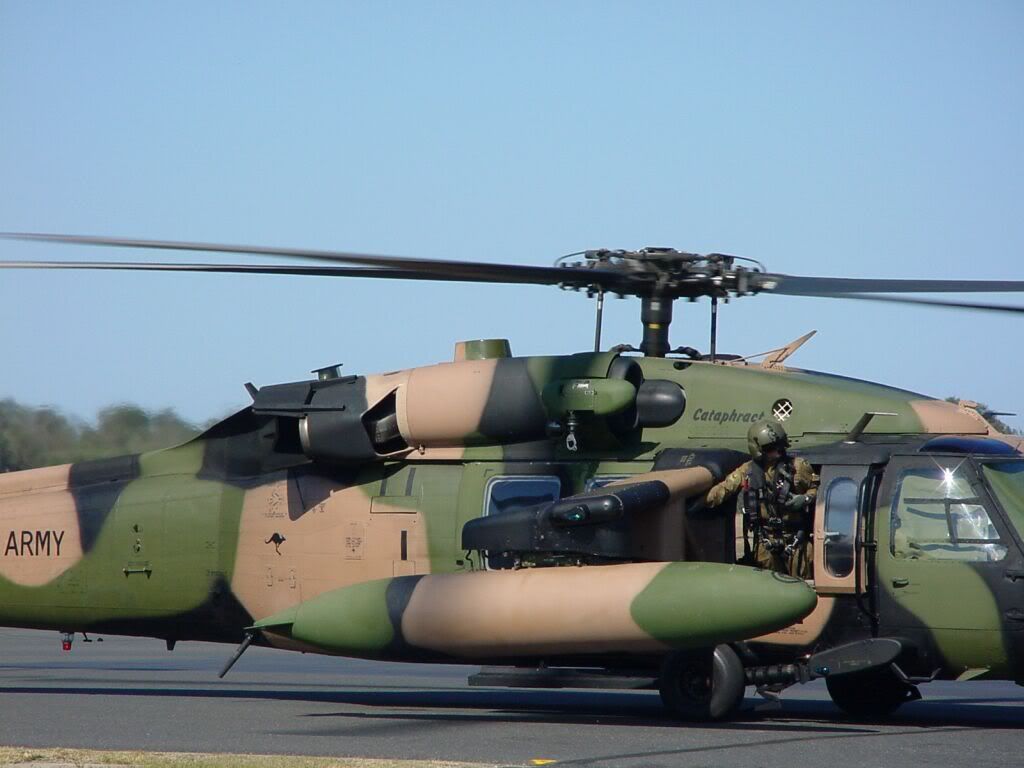
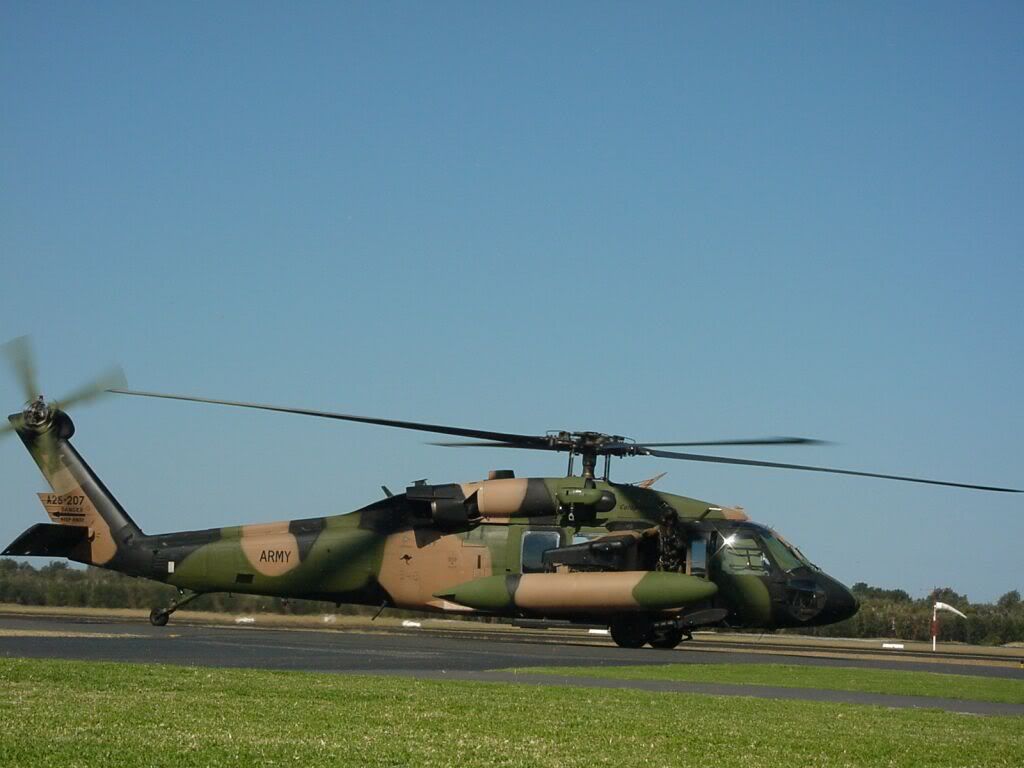
Something about the colours that make these stand out.
Must be hard to see through the window shades...
Hope you like them,
Murray
Australia
Join Date: Jan 2001
Location: Chilliwack, BC Canada
Posts: 564
Likes: 0
Received 0 Likes
on
0 Posts
BlenderPilot , tell us about your photograpic equipment, etc, those pics are crystal clear...well done.
Here are some pics from this weekends "class D" live load fixed line rescue training....
206L3 ALJ departing on a training mission...


407 ALM departing with a load

Base pilot "Craig W" in VR mode....

The local team with a strecher....


Here are some pics from this weekends "class D" live load fixed line rescue training....
206L3 ALJ departing on a training mission...
407 ALM departing with a load
Base pilot "Craig W" in VR mode....
The local team with a strecher....
Join Date: Mar 2000
Location: UK
Posts: 5,197
Likes: 0
Received 0 Likes
on
0 Posts
To post a picture on PPRuNe, it has to be on a website already - whether your own or someone else's.
If it's not, all is not lost ...... read on.
(The instructions below are for MS Windows - I don't know the AppleMac system.)
If the picture already on a website .....
It will have an URL (the unique 'address' of that pic on the web)
- Right-click on the picture and select 'Properties' - one of which is the 'URL' of the picture
- Highlight and Copy the entire URL.
If the picture is on your hard disk .....
- Use a web photo-hosting service.
Once you've loaded your picture on the host, it will give you the URL.
Note: Some photo-hosting services host your pics but won't allow you to link to them from another site. (eg Geocities, Tripod aren't suitable.)
OR
- Send your picture to one of our volunteers - if you wish to post in Rotorheads.
and
imabell (Graeme Gillies of Blue Tongue Helicopter Services Queensland [email protected]
have kindly volunteered to host pics/images for people who don't have their own websites.
They'll host your picture and send you the URL.
To post your picture on PPRuNe:
- Copy the URL of the picture
- Begin to post as normal
- Click the IMG button -
 - one of the buttons above the text box.
 - A dropdown menu will appear
- Paste the entire URL into the address line as instructed
- Click OK
- Add some information about the picture
- Repeat above procedure per picture
- Submit
Size is important!
Picture width should not exceed 900 pixels MAXIMUM.
If you're emailing an image to one of the volunteers, the size of the pic/file doesn't matter because they'll resize it.
Photobucket.com has a facility to reduce the size of any pics which are too big for a web page.
Troubleshooting
At first, as with any new process involving computers, you may go through some
 .
.(1) Your post displays a link (not a picture)
- Click the
 button to edit your post.
 - Check to see if 'URL' appears anywhere in the web address of the picture. If it's there at all, it will be there twice. Remove both.(You've used information from the URL, but those letters should not appear in the final address or you'll get a link instead of a picture.)
- If all else fails ..... READ THE INSTRUCTIONS.
(2) Your post displays a

- Click the button to edit your post.
- Does the URL start with 'http' and end with jpg, bmp or gif?
- There should be no spaces between [/img] at the end and [img] at the beginning.
- If you've copied the URL manually instead of copying & pasting, you might have left something out. Even one letter or digit will prevent the picture from displaying.
- If all else fails ..... READ THE INSTRUCTIONS.
If you can't resolve the problem:
Leave the post in place and I'll try to find and resolve the error.
Copyright claims etc
In Rotorheads, we don't allow pictures which have names (personal or business), e-mail addresses, website addresses, 'copyright' claims etc embedded in the picture.
See: Copyright Claims: Rotorheads Forum Rule
You're free to name the photographer in the text - but please don't make it an advert or you'll fall foul of the PPRuNe's strict 'No Advertising' rule.
It may seem tricky the first time but, after that, you'll find it very easy.
Heliport

Thread Starter
Join Date: Feb 2002
Location: N20,W99
Age: 53
Posts: 1,119
Likes: 0
Received 0 Likes
on
0 Posts
407 Driver,
God! I really didn't want to have anything else to do with a B407 after all day of wrestling one with the RADS equipment, it had a heavy blade and it was a PAIN to get below the limits.
But you are not a 407, so I will gladly tell you that most of my pics are taken with a Sony Cybershot DSC-717, its the best and most versatile camera know to mankind! (they should pay me for saying that!)
YOur pics are beautiful too!
God! I really didn't want to have anything else to do with a B407 after all day of wrestling one with the RADS equipment, it had a heavy blade and it was a PAIN to get below the limits.
But you are not a 407, so I will gladly tell you that most of my pics are taken with a Sony Cybershot DSC-717, its the best and most versatile camera know to mankind! (they should pay me for saying that!)
YOur pics are beautiful too!


