


Manage speed



Joined: May 2004
Posts: 496
Likes: 19
From: Ziltoidia... indeed'd.
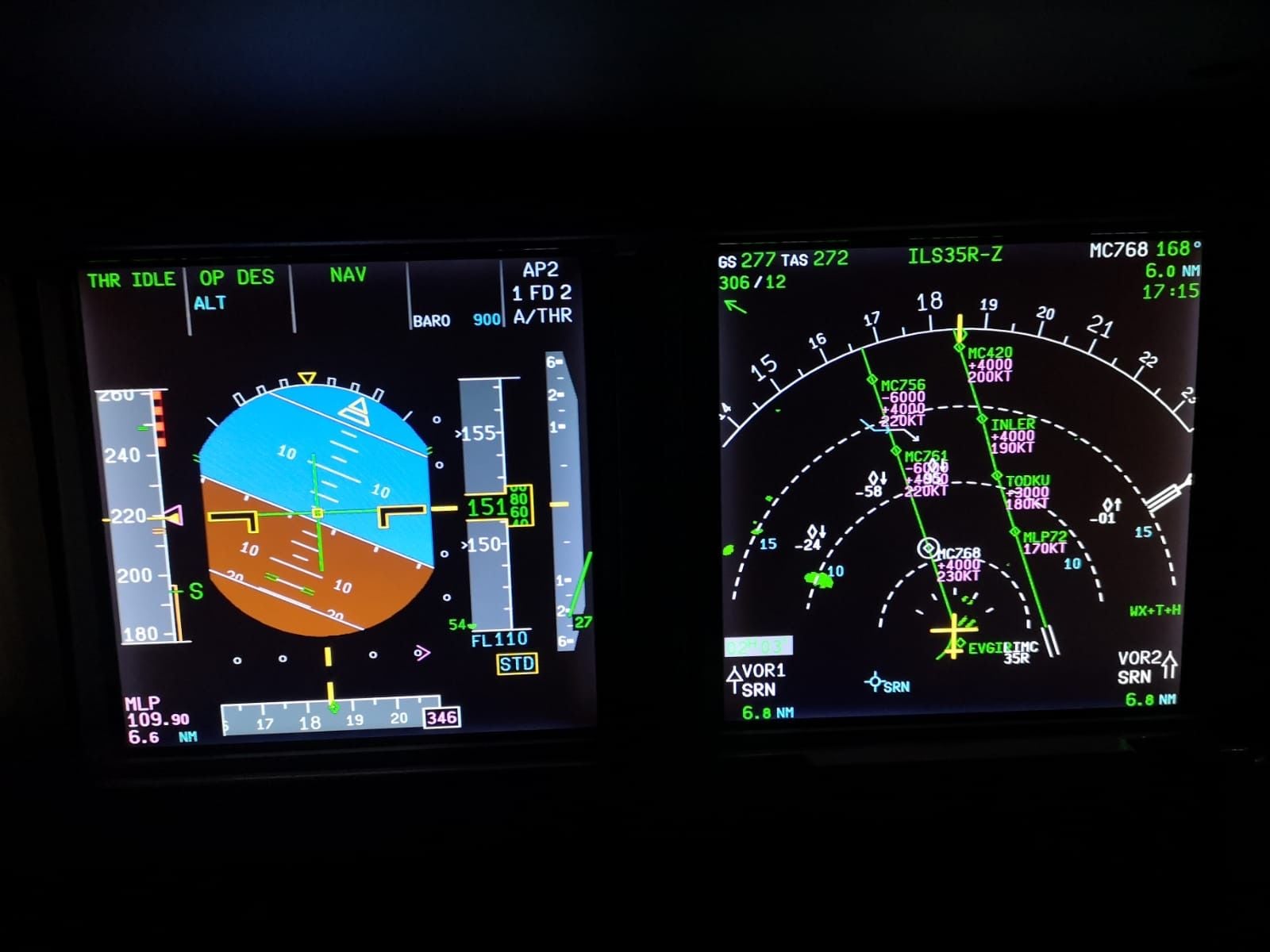
It could be that the Managed mode sees more efficient, or convenient, to maintain the constraint speed that comes after the TO waypoint. I have seen it several times as well.
Why is that? No idea, I'm not French.
Why is that? No idea, I'm not French.

Joined: Oct 2007
Posts: 887
Likes: 131
From: Location, Location
Isn't it just a case of the restriction at MC768 of 230 knots being a maximum speed? But for whatever reason the FMGC has worked out that it needs to be at 220 its for its optimum profile in anticipation of the next restriction? I don't know the complex algorithm your FMS software is using, but maybe it's looked at the fact you are 5400 feet above profile and disregarded any benefit of trying to fly 230 to get down to it's level deceleration segment prior to the 220 restriction. Just a thought. Maybe the managed speed behaviour would be different if on profile?
Joined: Oct 2009
Posts: 1,061
Likes: 4
From: UK
Were there any 220kts constraints on the STAR preceding the transition? It will never ask you to speed back up?
Maybe it's helpfully giving you a margin on (and therefore the option) taking flaps 1, which would be prudent given how far above the profile you are.
Maybe it's helpfully giving you a margin on (and therefore the option) taking flaps 1, which would be prudent given how far above the profile you are.

Eidolon

Joined: May 2001
Posts: 2,244
Likes: 62
From: Some hole
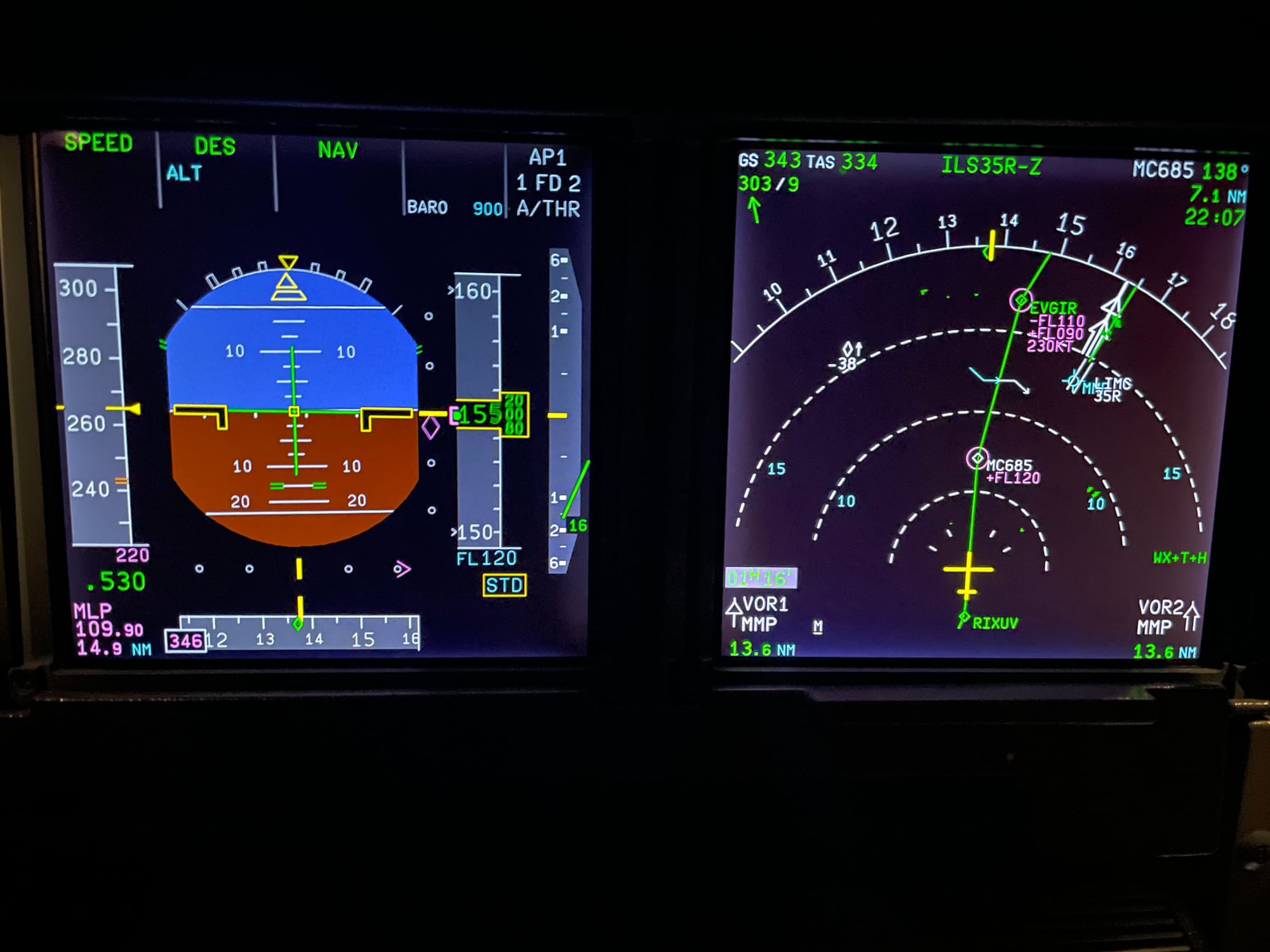
The geometric descent profile the FMC calculated required that speed to meet the altitude constraints. EGVIR should be between FL110 and 6000, max 230 kts. You are well above the FMC geometric descent profile.
If you want the FMC to fly the maximum managed speed, you need to remove the vertical constraints, DCT to the TO waypoint or insert the QNH again in the FMC to recalculate the geometric descent profile.
If you want the FMC to fly the maximum managed speed, you need to remove the vertical constraints, DCT to the TO waypoint or insert the QNH again in the FMC to recalculate the geometric descent profile.
Joined: Oct 2007
Posts: 887
Likes: 131
From: Location, Location
Out of interest, is that photo from a simulator? Even the most advanced full-flight sims sometimes don't quite behave in the exact way the aircraft does, even with the best intentions of the manufacturer! Try it every day in the real airplane and see what happens.
Joined: Sep 2021
Aviation Qualifications: CPL
Posts: 19
Likes: 2
From: .
For sure you can do it by setting a Speed limit in both your exemples 220/FL200 but why would you do that, and you should have been aware of it.
Never had this happened to me in approaches to Malpensa with 320. Anyway not a fan of anything managed for this airport given the shortcut you get every time.
Never had this happened to me in approaches to Malpensa with 320. Anyway not a fan of anything managed for this airport given the shortcut you get every time.
Joined: Jan 2007
Posts: 352
Likes: 6
From: Canada
First of all, it's important to realize that the speed constraint at MC768 is not 230, it's 230 or less.
If it's targeting 220, it's because it thinks it needs to be at 220 now in order to make the speed restriction further down the line. I don't understand why it thinks that and as suggested, pulling speed and setting 230 until a few miles before 768 may work out fine but if it doesn't then it will be obvious what is going on.
Are there any previous restrictions behind the aircraft? Maybe it's on a geometric descent rather than idle and this is causing the calculated 220.
If it's targeting 220, it's because it thinks it needs to be at 220 now in order to make the speed restriction further down the line. I don't understand why it thinks that and as suggested, pulling speed and setting 230 until a few miles before 768 may work out fine but if it doesn't then it will be obvious what is going on.
Are there any previous restrictions behind the aircraft? Maybe it's on a geometric descent rather than idle and this is causing the calculated 220.
