


Putting split-screen to good use with JeppView

Thread Starter
Joined: May 2009
Posts: 63
Likes: 0
From: Home
Putting split-screen to good use with JeppView
Just wondering if you use split-screen with JeppView on your iPad EFB.
If so, can you let me know which applications you share the screen with? e.g. Calculator, Logbook, Spreadsheet, Aeroweather, OPT, etc.
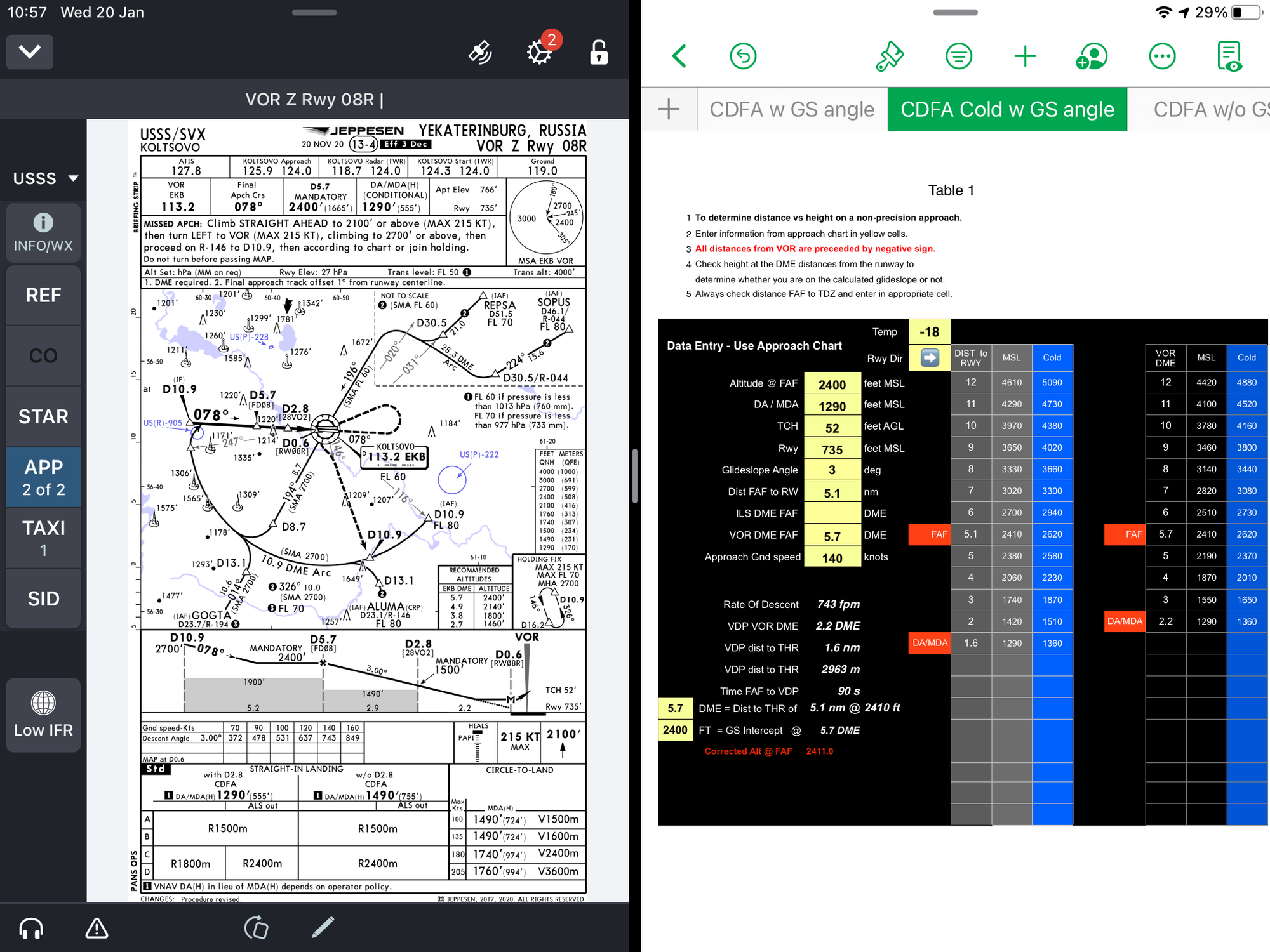
If so, can you let me know which applications you share the screen with? e.g. Calculator, Logbook, Spreadsheet, Aeroweather, OPT, etc.


Thread Starter
Joined: May 2009
Posts: 63
Likes: 0
From: Home
It's actually just a spreadsheet that I use for those Non-Precision approaches where there is no height vs distance table.
The 'Airports' App has a similar approach calculator in the tools section.
The 'Airports' App has a similar approach calculator in the tools section.


Joined: Nov 1999
Aviation Qualifications: ATPL
Posts: 3,150
Likes: 744
From: UK
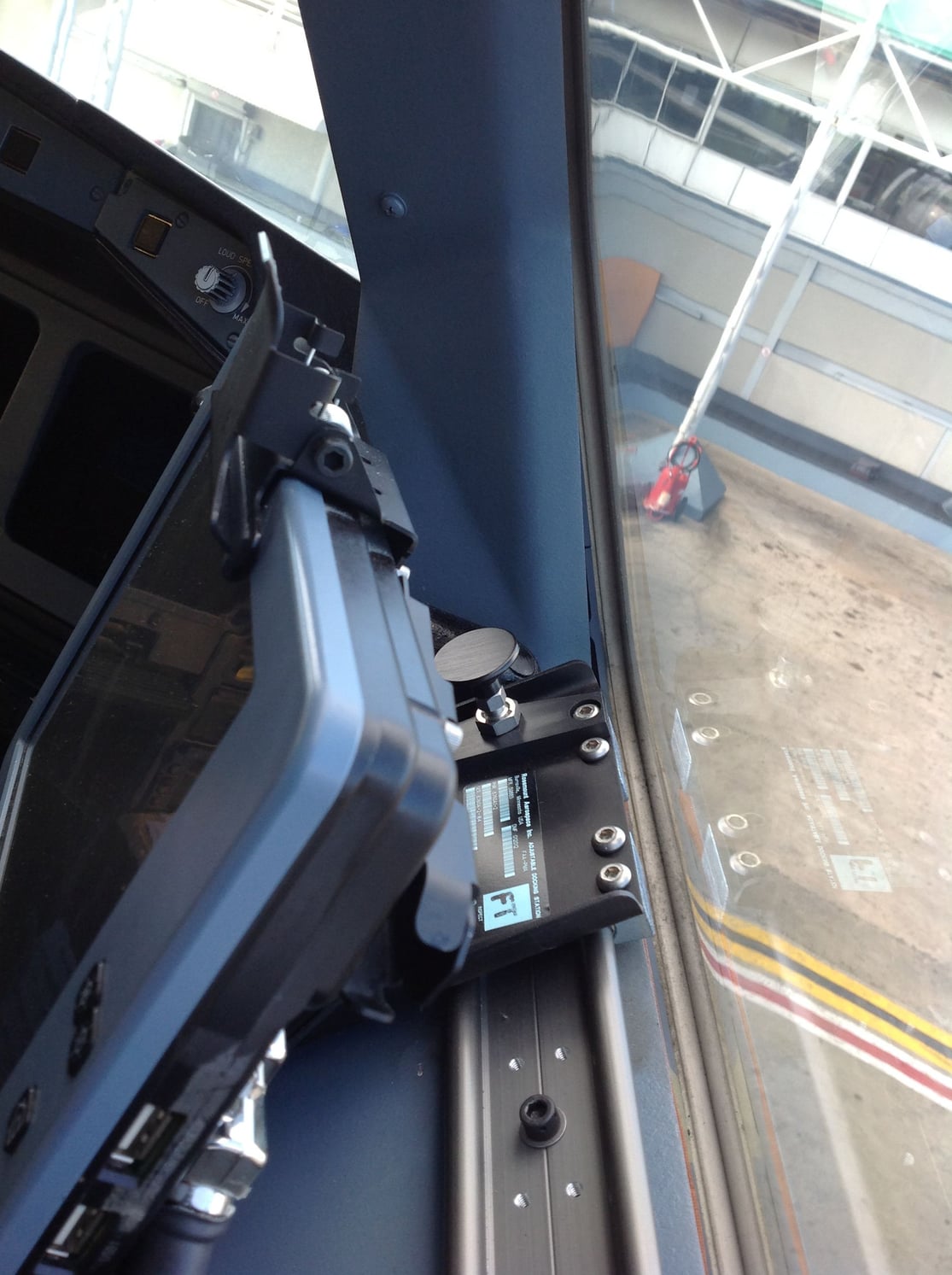
This is how a previous company did it in an Airbus. The EFB, (not an iPad), slid back on those rails to clear the window opening lever, but I personally think it was a very poor fitment.

Joined: Mar 2001
Posts: 4,563
Likes: 35
From: I wouldn't know.
In a previous company on 737, A320 and A330 the iPad EFB was held in a suction mount on the side window. Destroyed the window shades quite fast if pilots were not careful. Seen several other installation, including aircraft fixed mounting systems (require certification unlike the suction mounts as those are a change to the aircraft) including power delivery, usually on the lower part of the side window, in no case installed that they would interfere with the opening lever at all. Best one was easily rotatable from landscape into portrait mode which is quite nice for displaying approach charts.
Sadly, not all apps do allow split screen use, could be especially useful to have the charging app on one side and the OFP on the other in cruise, or charts on one and performance calculation on the other.
Sadly, not all apps do allow split screen use, could be especially useful to have the charging app on one side and the OFP on the other in cruise, or charts on one and performance calculation on the other.

Joined: Oct 2015
Posts: 279
Likes: 3
From: 43N
Unlinker, that is just a mess of a setup.
Dadanawa, a few of our authorized apps have split screen functionality. I have tried it but find I am magnifying and scrolling to much. I use the “four finger swipe” or swipe up with company apps fixed to the Dock to quickly cycle between apps.
Dadanawa, a few of our authorized apps have split screen functionality. I have tried it but find I am magnifying and scrolling to much. I use the “four finger swipe” or swipe up with company apps fixed to the Dock to quickly cycle between apps.
Thread Starter
Joined: May 2009
Posts: 63
Likes: 0
From: Home
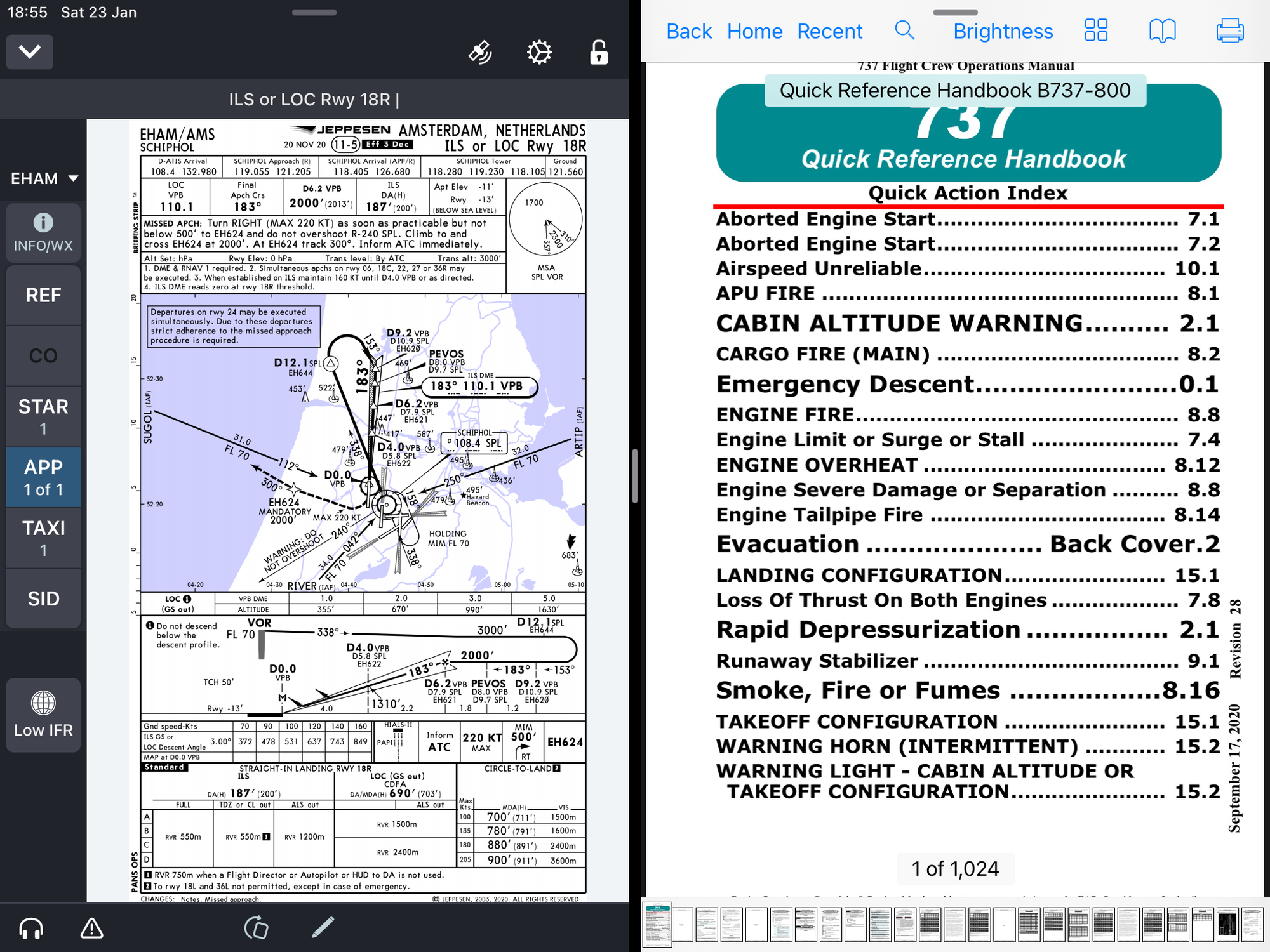
Thanks Mongo, I never tried that. It's good to share ideas on this forum that may benefit us all. The application on the right is Web Manuals.
Last edited by Dadanawa; 23rd January 2021 at 15:01. Reason: add photo
Joined: Nov 1999
Aviation Qualifications: ATPL
Posts: 3,150
Likes: 744
From: UK
Denti
We had suction mounts on A320. They could allow the EFB to fall off the window, as happened to me - and it fell directly onto the A/P disconnect button on my side-stick. Peaceful cruise one minute; sudden cavalry charge and A/P disconnect the next !
We had suction mounts on A320. They could allow the EFB to fall off the window, as happened to me - and it fell directly onto the A/P disconnect button on my side-stick. Peaceful cruise one minute; sudden cavalry charge and A/P disconnect the next !


