


Laptop Sound Issues

Thread Starter
Joined: Jan 2002
Posts: 425
Likes: 0
From: UK
Laptop Sound Issues
1) Sound OK in all respects on new laptop, except DVD playback. .....Very quiet, even on maximum volume. .....Do I assume software decoder problem (Cyberlink PowerDVD 5)?
2) That apart, can anyone recommend any small portable external speakers; laptop specific.
Thanks in anticipation.
2) That apart, can anyone recommend any small portable external speakers; laptop specific.
Thanks in anticipation.

The Oracle

Joined: Aug 2001
Posts: 2,902
Likes: 0
From: Naples, Florida U.S.A.
BLUE SKY THINKER,
I use PowerDVD 5 and in most cases I find DVD Audio Playback a little lower.
As for speakers, does your Notebook have front and rear audio jacks or just a single jack? Are you looking for just two speakers or two speakers with a sub or something else?
Take Care,
Richard
I use PowerDVD 5 and in most cases I find DVD Audio Playback a little lower.
As for speakers, does your Notebook have front and rear audio jacks or just a single jack? Are you looking for just two speakers or two speakers with a sub or something else?
Take Care,
Richard
Thread Starter
Joined: Jan 2002
Posts: 425
Likes: 0
From: UK
Richard.....
Audio Playback very low on mine.
As for speakers, in view of the limitations of the average internal ones in most notebooks, was just looking for a couple of small neat portable stereo ones for improved quality to listen to music now and then.
Hadn't given thought to connection yet (!) but in answer to your question:-
1xheadphone jack
1xmicrophone jack
1xS/PDIF Port, supporting 5.1 channel output for home theatre (but maybe relevant for this more limited requirement?).
.....& the usual array of USB's, Firewire etc.
BST
Audio Playback very low on mine.
As for speakers, in view of the limitations of the average internal ones in most notebooks, was just looking for a couple of small neat portable stereo ones for improved quality to listen to music now and then.
Hadn't given thought to connection yet (!) but in answer to your question:-
1xheadphone jack
1xmicrophone jack
1xS/PDIF Port, supporting 5.1 channel output for home theatre (but maybe relevant for this more limited requirement?).
.....& the usual array of USB's, Firewire etc.
BST
The Oracle
Joined: Aug 2001
Posts: 2,902
Likes: 0
From: Naples, Florida U.S.A.
BLUE SKY THINKER,
For the SPDIF, the only way to go is the:
Logitech THX Certified Z-680 5.1 500Watt Dolby Digital Speakers:
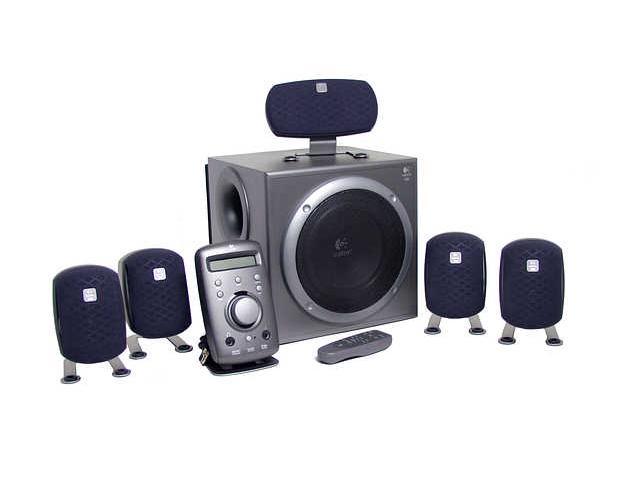
(But at 40+ lbs you will need some endentured servants to carry it around for you.)
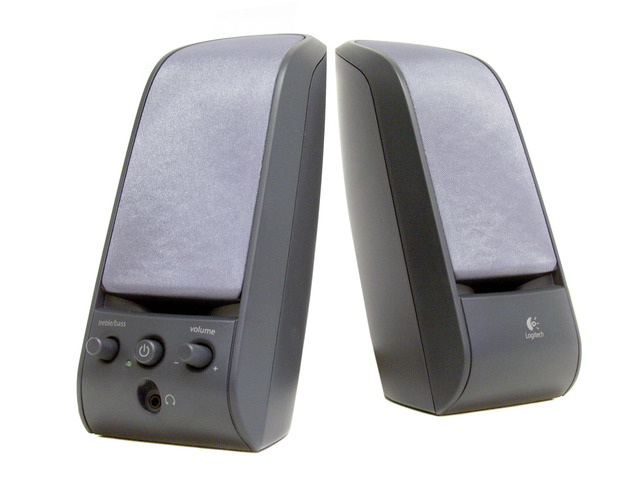
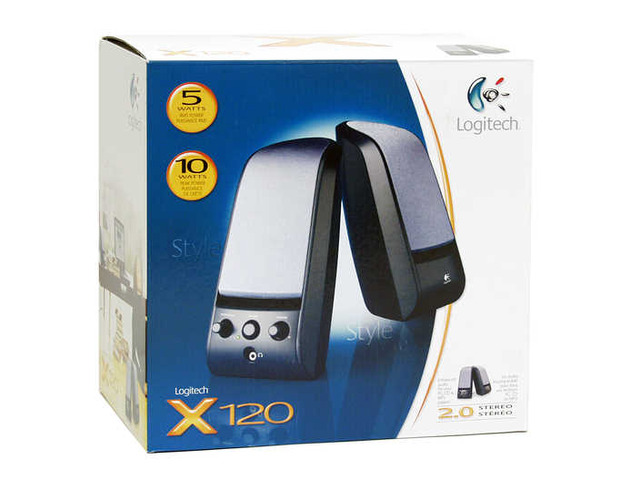
A good low end set of speakers are the:
Logitech X-120 2.0 Speakers:
Then there is something like the Cyber Acoustics 2-Piece Speaker System. These passive speakers have no amplification:

(But they are not much better than the integrated speakers in your Notebook.)
Take Care,
Richard
For the SPDIF, the only way to go is the:
Logitech THX Certified Z-680 5.1 500Watt Dolby Digital Speakers:
(But at 40+ lbs you will need some endentured servants to carry it around for you.)
A good low end set of speakers are the:
Logitech X-120 2.0 Speakers:
Then there is something like the Cyber Acoustics 2-Piece Speaker System. These passive speakers have no amplification:
(But they are not much better than the integrated speakers in your Notebook.)
Take Care,
Richard
The Oracle
Joined: Aug 2001
Posts: 2,902
Likes: 0
From: Naples, Florida U.S.A.
BLUE SKY THINKER,
Glad to hear you solved the problem.
Take Care,
Richard
P.S. Have you tried to play with all the Audio Options in PowerDVD? (If you have the wrong speaker and/or decoding options, you will get little to no sound out of it.)
Glad to hear you solved the problem.
Take Care,
Richard
P.S. Have you tried to play with all the Audio Options in PowerDVD? (If you have the wrong speaker and/or decoding options, you will get little to no sound out of it.)
Joined: Sep 1998
Posts: 513
Likes: 0
From: Sydney, Australia
Funny thing, that ... I had better results with PowerDVD (when it was installed) than with Intervideo WinDVD.
My lappy's sound system is Realtek AC97. I installed AC3 Filter with which you can adjust the master volume before it becomes controlled by the soundcard's volume control, so in effect you have 2 volume controls working in series, which is handy for faint tracks.
An interesting extra is the ability to control the volume of the voice channel independently of background music, plus other things if you have surround sound.
AA
My lappy's sound system is Realtek AC97. I installed AC3 Filter with which you can adjust the master volume before it becomes controlled by the soundcard's volume control, so in effect you have 2 volume controls working in series, which is handy for faint tracks.
An interesting extra is the ability to control the volume of the voice channel independently of background music, plus other things if you have surround sound.
AA
