


Wireless Networking

Thread Starter
Joined: Aug 1999
Posts: 342
Likes: 0
From: uk
Wireless Networking
Want to set up a wireless network in the house. I've got a desktop PC (running XP) with a broadband connection and a mac running (OSX) as well as an wireless enabled ipaq. Would a wireless router such as this
http://www.amazon.co.uk/exec/obidos/...642789-7686827
be what I needed ?
Seems good value if it would work.
http://www.amazon.co.uk/exec/obidos/...642789-7686827
be what I needed ?
Seems good value if it would work.


Joined: Feb 2003
Posts: 73
Likes: 0
From: UK
I think the key point here is on the amazon page..
"All linksys broadband routers, unless otherwise stated, connect directly to an ETHERNET broadband connection. This is standard on all Telewest and NTL broadband services, but to use with ADSL you will need a modem with an ETHERNET port."
I use a Linksys Wireless-G Router at home connecting to a ntl cable modem which has an ethernet output, it works great connecting to 2 pc's, my work laptop and a Dell X30 pda, it really was plug and play.
If your ADSL modem has an ethernet port that connects to your PC then the Linksys kit will work fine, maybe consider going up a couple of quid to the unit I have linked to, it is .g compatible which whilst it will not affect browsing speed it will make file transfers between the PC's noticeably quicker. Sorry cannot help on the Mac side of things.
g'luck...
"All linksys broadband routers, unless otherwise stated, connect directly to an ETHERNET broadband connection. This is standard on all Telewest and NTL broadband services, but to use with ADSL you will need a modem with an ETHERNET port."
I use a Linksys Wireless-G Router at home connecting to a ntl cable modem which has an ethernet output, it works great connecting to 2 pc's, my work laptop and a Dell X30 pda, it really was plug and play.
If your ADSL modem has an ethernet port that connects to your PC then the Linksys kit will work fine, maybe consider going up a couple of quid to the unit I have linked to, it is .g compatible which whilst it will not affect browsing speed it will make file transfers between the PC's noticeably quicker. Sorry cannot help on the Mac side of things.
g'luck...
Thread Starter
Joined: Aug 1999
Posts: 342
Likes: 0
From: uk
Just looked at my modem (USR sureconnect) which doesn't seem to have an ethernet port. Does this mean the Routers mentioned won't be what I need. If so what can anyone recommend.
Yours,
Confused of England.
Yours,
Confused of England.
The Oracle

Joined: Aug 2001
Posts: 2,902
Likes: 0
From: Naples, Florida U.S.A.
longarm,
Yesterday I switched to the:
D-Link DI-624
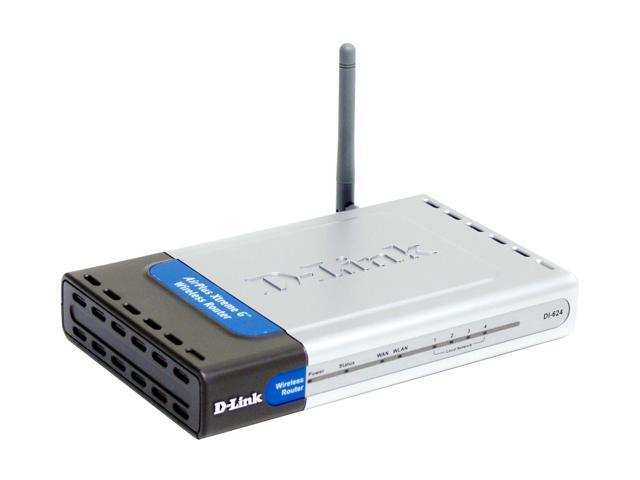
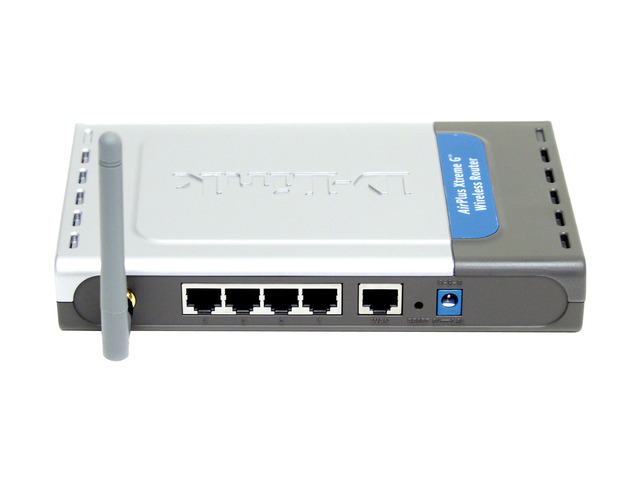
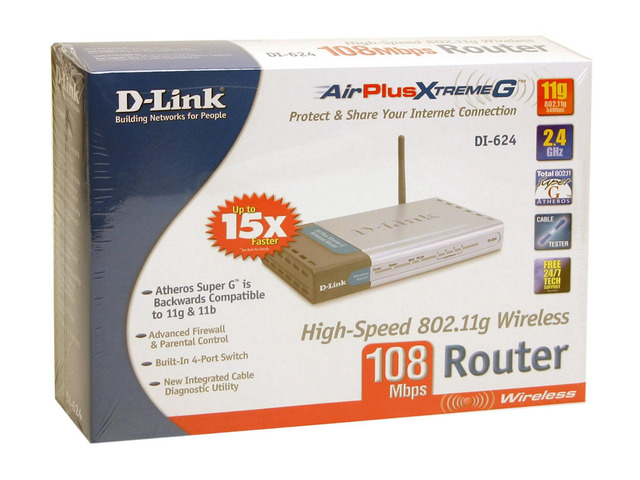
It is one of the best Wireless Routers I have used.
Take Care,
Richard
Yesterday I switched to the:
D-Link DI-624
It is one of the best Wireless Routers I have used.
Take Care,
Richard

Joined: May 1999
Aviation Qualifications: ATP+Mil
Posts: 27,397
Likes: 857
From: Quite near 'An aerodrome somewhere in England'
The BT Voyager 2100, perhaps?
http://www.voyager.bt.com/2100/prodinfo.htm
I use the earlier BT Voyager 2000 with 2 laptops using 802.11b and all works fine.
http://www.voyager.bt.com/2100/prodinfo.htm
I use the earlier BT Voyager 2000 with 2 laptops using 802.11b and all works fine.
Joined: Jan 2001
Posts: 555
Likes: 0
From: Fantasy Island
Yes, to use ADSL the most 'elegant' solution is a wireless router with built in ADSL modem.
Like Richard, I've gone for D-Link, and essentially the same bit of kit but with the modem as an extra.......D-Link 54Mbps Wireless Router/ADSL Modem (DSL-G604T)
Tip: The web-based setup pages on the router work best with Internet Explorer, if you use Safari/Mac you'll run into problems.
Like Richard, I've gone for D-Link, and essentially the same bit of kit but with the modem as an extra.......D-Link 54Mbps Wireless Router/ADSL Modem (DSL-G604T)
Tip: The web-based setup pages on the router work best with Internet Explorer, if you use Safari/Mac you'll run into problems.
Scalextric for Men
Joined: Jul 2001
Posts: 277
Likes: 0
From: Southern England outside the M25
I have just done the opposite and hard wired the home six ethernet sockets.
My reason for this is because cumulatively if more households going wireless then more radiation in the ether.
Now as some may know, a new research laboratory is to be set up, and its interest is radiation from the masts for cell phones. Just a discussion point..........
My reason for this is because cumulatively if more households going wireless then more radiation in the ether.
Now as some may know, a new research laboratory is to be set up, and its interest is radiation from the masts for cell phones. Just a discussion point..........
Joined: Nov 2000
Posts: 903
Likes: 0
From: Home

Joined: May 2001
Posts: 4,729
Likes: 0
From: 75N 16E
You need a Wireless ADSL router, i.e. with built in ADSL modem. All of the "free" modems supplied by ISPs are USB and will not work with a Wireless Broadband Router. Doesn't look like the one Richard posted will work without an Ethernet ADSL modem attached (and I am guessing in the states this plugs into the ethernet port of a Cable modem )
Myself I like to install either the Linksys ADSL Wireless G or the Netgear DG834G as they are easy to setup and configure.
Networking a Mac to this setup shouldn't be too difficult. I managed to talk my sister through (over the telephone)networking her boyfriends Mac to her PC to share the internet connection over the telephone, and I know nothing about Macs, and they no nothing about computers The numbers (DNS / IP / gateway) are all the same whatever computer you use.
Myself I like to install either the Linksys ADSL Wireless G or the Netgear DG834G as they are easy to setup and configure.
Networking a Mac to this setup shouldn't be too difficult. I managed to talk my sister through (over the telephone)networking her boyfriends Mac to her PC to share the internet connection over the telephone, and I know nothing about Macs, and they no nothing about computers
The numbers (DNS / IP / gateway) are all the same whatever computer you use.
Joined: Oct 2000
Posts: 133
Likes: 0
From: UK
I've got a Belkin ADSL router and modem which I set up with a proprietary (non-belkin) 80211b wireless card on my laptop. However, problem is that if I do not use the connection for about ten minutes the router disconnects my laptop. I then have to go back onto the router administration homepage and reconnect. This is blooming annoying as the point of broadband is that it is always on.
Has anyone got any suggestions?
Has anyone got any suggestions?
Moderator

Joined: Dec 1997
Aviation Qualifications: ATPL
Posts: 4,929
Likes: 6
From: Suffolk UK
I have a Linksys WRT54G router with which, to be honest, I'm not that impressed. The setup options are far too complex, and it's very easy to screw the whole thing up - I don't have a degree in networking and neither am I an MCSE, so I don't really want a bit of kit that appears to need both qualifications to understand!
As you might have guessed, my wireless network, attempting to connect a desktop (connected to the internet directly via a Creative ADSL modem on a 1mb connection), a WinXP laptop, a Win98SE laptop and a Pocket PC, is not a resounding success!
I've tried connecting the modem (it is an ethernet type) directly to the WRT54G, but then none of the computers can detect it - even the desktop, which is wired to the Linksys router. Fortunately, my desktop has a Gigabit LAN port, so I can connect the modem to that and the router to the 10/100 port. At least the desktop can connect to the net (which seems extremely slow today!), but the other computers, on the rare occasion I can get any of them to connect to the network, can't see the internet connection - yes, I have activated Internet Connection Sharing.
Oh, for a box that you just plug in and go!
As you might have guessed, my wireless network, attempting to connect a desktop (connected to the internet directly via a Creative ADSL modem on a 1mb connection), a WinXP laptop, a Win98SE laptop and a Pocket PC, is not a resounding success!
I've tried connecting the modem (it is an ethernet type) directly to the WRT54G, but then none of the computers can detect it - even the desktop, which is wired to the Linksys router. Fortunately, my desktop has a Gigabit LAN port, so I can connect the modem to that and the router to the 10/100 port. At least the desktop can connect to the net (which seems extremely slow today!), but the other computers, on the rare occasion I can get any of them to connect to the network, can't see the internet connection - yes, I have activated Internet Connection Sharing.
Oh, for a box that you just plug in and go!
Joined: May 2001
Posts: 4,729
Likes: 0
From: 75N 16E
yes, I have activated Internet Connection Sharing
Plug the modem into the router,
Plug the desktop into the router via the ethernet port
PLug other computers into the router LAN ports (if available)
Disable ICS & dial up ADSL connection on the desktop
Make sure your router DHCP server is set to "enable",
Setup router with the ISP info which is probably:
Login name
Password
VPI:0
VCI:38
PPPoA for ADSL
Now on each client computer make sure that "obtain IP address automatically" is selected under the LAN connection (Control panel > Network COnnections > Local Area Network, click TCP/IP and select properties).
You could manually configure IP addresses for the client computers if you prefer (BUT remember to disable DHCP in the router). To do this go to the LAN connections, and click Properties for TCP/IP. Manually assign the following IP addresses:
IP: 192.168.1.2 (for 1st computer, 192.168.1.3 for the second and so on).
Subnet: 255.255.255.0
Gateway: 192.168.1.1 (the routers IP address)
DNS servers: These are supplied by your ISP. You may not need to enter anything here, I seem to remember a problem when I couldn't access the internet without entering them. What ISP are you with?
Good luck
Edited because i forgot the wireless bit:
When you have just the router and desktop connected to the Internet, then use the Desktop to configure the wireless newtork.
Login to the router:
http://192.168.1.1
user: admin
pass: admin
(unless changed by you)
Under wireless settings (not familiar with your router, but they are pretty similar):
choose a name for your SSID, can be anything and just identifies your network (i.e. Virgin). Best to change it from the default.
Under WEP key settings:
Enter a password, again can be anything. It uses this phrase to calculate the WEP encryption keys. And then click generate. Write down the Key 1. If you are using Linksys PCMCIA wireless adaptors, you can recreate the key on the client computers by simply entering the passphrase.
On the client computers, under the wireless settings, make sure that encryption is set to WEP, the strength is the same as the routers (i.e. 64bit), and that Key1 is the same as the one you just generated. If your router is set to broadcast the SSID you will see your network, if not, you may have to manually enter the network name (i.e. Virgin)....
Moderator
Joined: Dec 1997
Aviation Qualifications: ATPL
Posts: 4,929
Likes: 6
From: Suffolk UK
Thanks, Englishal. What I should have said is 'I've tried ICS'. It's not on now. I'm with Pipex (1mb connection).
In fact, I think many of my problems are caused by the fact that the Creative modem is a single-port router in its own right, with the ability to DHCP serve. Even though I've tried disabling its DHCP server (not easy - both the router and the modem originally shared the same IP address!), it still won't play. I've also tried setting the router into 'bridge' mode to let the modem do all the DHCP serving, but no joy there either!
As I said, what I (and most of the rest of the world) need is a box you plug in and everything works, but it seems that networking - for the moment at least - remains the preserve of those with more techno-geekishness than I posess! Frankly, I don't care any more - networking was really only going to be a way of sharing a printer and being able to access the 'net from any of our computers. I'd just be happy with a fast internet connection on the desktop - but, today at least, I don't even have that!
In fact, I think many of my problems are caused by the fact that the Creative modem is a single-port router in its own right, with the ability to DHCP serve. Even though I've tried disabling its DHCP server (not easy - both the router and the modem originally shared the same IP address!), it still won't play. I've also tried setting the router into 'bridge' mode to let the modem do all the DHCP serving, but no joy there either!
As I said, what I (and most of the rest of the world) need is a box you plug in and everything works, but it seems that networking - for the moment at least - remains the preserve of those with more techno-geekishness than I posess! Frankly, I don't care any more - networking was really only going to be a way of sharing a printer and being able to access the 'net from any of our computers. I'd just be happy with a fast internet connection on the desktop - but, today at least, I don't even have that!
Joined: May 2001
Posts: 4,729
Likes: 0
From: 75N 16E
Ah, I see....that does complicate things a bit. The first thing is to assign a new IP to the router (I think you can do this in the router setup pages), say 192.168.1.2, then disable all DHCP, then manually assign IPs to each computer (192.168.1.3,4,5,6 etc), and DNS servers. The Pipex DNS servers are: 158.43.240.4 and 158.43.240.3....but not sure what would then be the gateway, the router or the modem...?
As far as out of the box goes, the NETGEAR DG834G works pretty well, you can make it "auto configure" the connection as it has built in ADSL modem, and just type in your username / passwd....
Good luck
As far as out of the box goes, the NETGEAR DG834G works pretty well, you can make it "auto configure" the connection as it has built in ADSL modem, and just type in your username / passwd....
Good luck
Joined: Jan 2001
Posts: 555
Likes: 0
From: Fantasy Island
It might be a problem if the functioning of the ADSL modem (even though it's ethernet) requires a piece of software or a driver on the desktop to function correctly.
I rememeber when I was on cable-modem-ethernet, it just plugged into the laptop and there was never any "detection" of the cable modem, it just worked as if I was on an office LAN.
I rememeber when I was on cable-modem-ethernet, it just plugged into the laptop and there was never any "detection" of the cable modem, it just worked as if I was on an office LAN.