The way your JPEG file sizes keep fluctuating probably has to do with the JPEG Quality settings in the program you're using to crop them. If the scanner program saved them at e.g. 95%, but the other program saves them at e.g. 80%, that explains the difference.
In general, you should always try to avoid making permanent changes to the original image you scan (or save from a digital camera). It's tantamount to cutting a negative: once it's done, it's done, you can't undo it later. As already noted, JPEG is a lossy format, and the JPEG Quality setting determines how much is permanently discarded. So, archive the original, save any changes in a copy.
The system I have with my digital camera looks something like this:
- I use
Picasa to manage the full-size RAW images on the PC, for archival purposes. It does non-destructive editing e.g. when you crop a photo or tweak its colours, it saves the edits without altering the original image.
- I then upload selected photos from there to my Picasa web album for sharing. (I use the Sync facility on "starred" photos in an album, to be specific.) I generally upload the full-size photos to the web album, though you don't have to.
- If I need to embed or send a link to a photo, I can do it from the web page. the website automatically generates smaller images from the larger images you upload, which is fine for web pages.
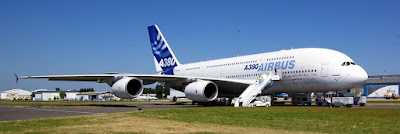
e.g. the archived original of this photo is 3000x2000, I cropped & resized it in Picasa (for the web album) to 1200x400, and I just told the website to generate a 400-pixel-wide version for embedding here: