Hi Sir Korsky,
I adopted my Paper Kneeboard.
Added a hinge, so that I can flip the iPad mini to the side, allowing to take notes with a pencil - having a sheet of paper with information and so on.
To protect the iPad mini it is in a case. For that case a 3D printed clip glued on the hinge allows fast positioning or removing of the iPad mini.
Tip: with Assistive Touch you can bring up a button on the screen which you can configure.
On mine it opens a menu with: Control (for brightness, loudness, Bluetooth, plan and so on), an extra home button, screencapture and most important - screen off.
So with two touches you can switch the screen off instead of looking for the switch - saving battery when needed
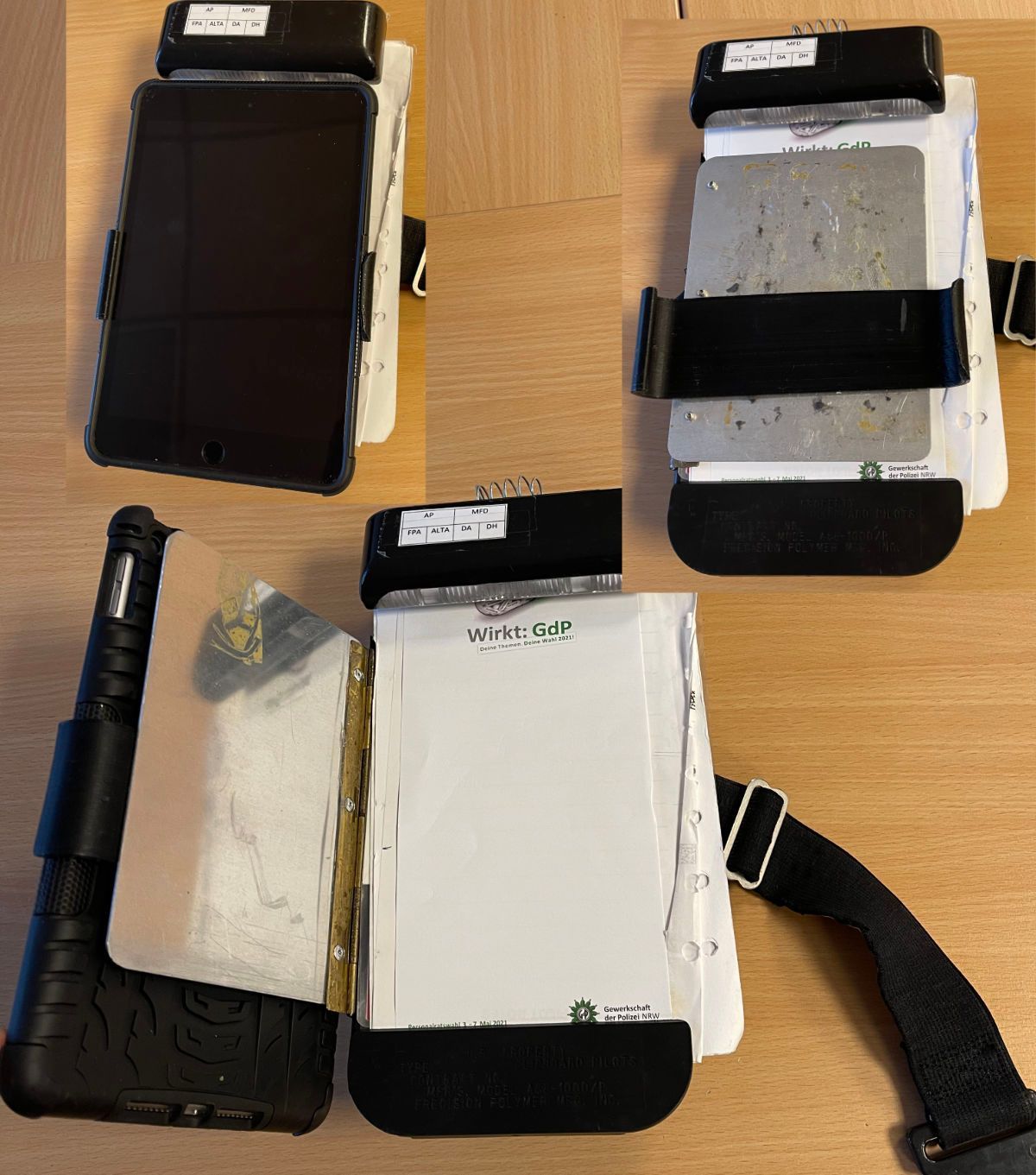 iPad mini Kneeboard